You know that moment when the festival acceptance email arrives?
You’re screaming. You’re calling everyone you know. You’re already planning what you’ll wear to the screening, mentally drafting your Q&A answers, imagining the Variety review. This is it, the moment you’ve been working toward for months, maybe years.
Then you scroll down past the congratulations part and see the delivery requirements: DCP for film festivals with specific technical specs. 2K resolution. 5.1 audio. CRU drive package. Closed captions required.
Suddenly you’re Googling at 2am trying to figure out what any of that actually means.
We’ve been doing post-production sound in Chicago for over three decades, and we still see this happen every festival season. Talented filmmakers who’ve conquered every creative and logistical challenge of making a film suddenly hit a wall with the last technical step: getting their movie into a format that theaters can actually play.
This isn’t a failing on the filmmaker’s part. Festivals assume you know this stuff, but why would you? Film school doesn’t usually cover Digital Cinema Packages. Your editor might have mentioned it once, and the festival’s tech specs read like they’re written in a different language.
So let’s talk about what actually happens between that acceptance email and your screening date, because this is where a lot of filmmakers, good filmmakers with great films, run into trouble.
What DCP Film Festival Requirements Actually Mean
Here’s what those festival tech specs actually mean in human language:
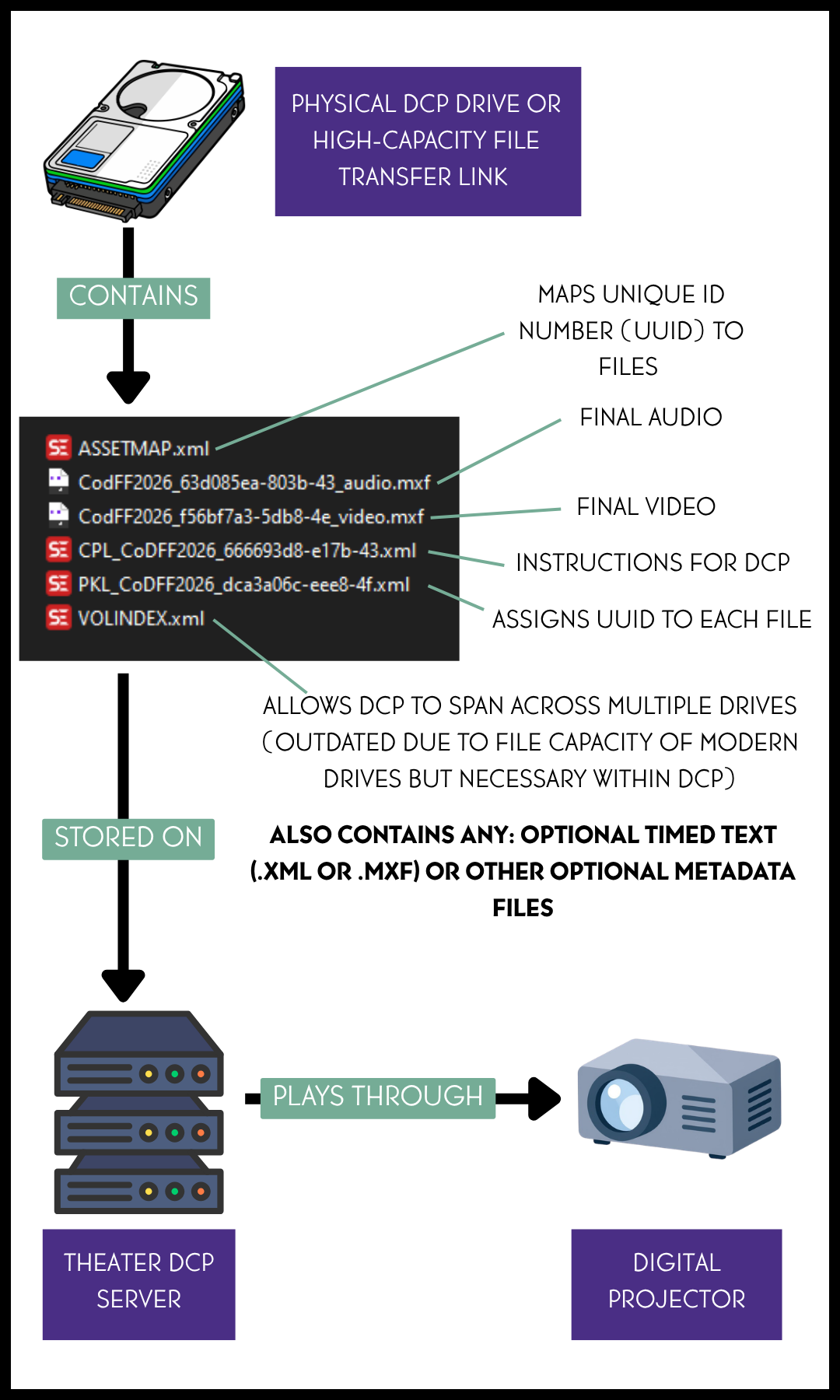
2K DCP means your film needs to be in a specific digital format, 2048×1080 pixels, that cinema servers can read. It’s not just a video file. It’s a highly specialized package of encrypted video and audio files that follow something called Digital Cinema Initiatives (DCI) standards. Your beautiful ProRes or H.264 export from your editing software? That won’t work.
5.1 audio means six channels of surround sound. Even if you mixed your film in stereo, which is totally fine, you’ll need to properly map it into a 5.1 configuration for the cinema server to recognize it. Get this wrong, and your audio might not play at all. Yes, really.
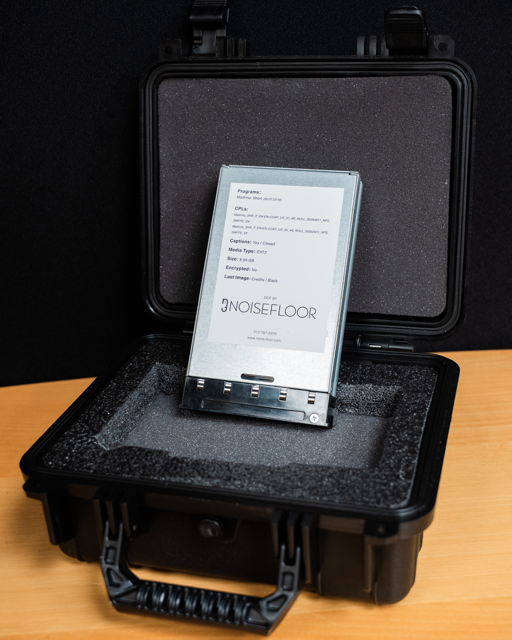
CRU drive package is the thing that made you start Googling in the first place. It’s a specialized hard drive format in a protective case that most theaters use. Some venues accept USB drives, but usually only for shorts under 40 minutes. Others want digital uploads. The festival might just say DCP delivery without specifying which format they need, and if you guess wrong, your film won’t play.
We know this sounds complicated. It is complicated. But it’s also solvable, and understanding what can go wrong helps you avoid the worst-case scenarios.
Common DCP Problems at Film Festivals
Every festival season, we see the same problems pop up. Not because filmmakers are careless, but because nobody explained how this actually works.
The delivery format disaster:
A filmmaker shows up to their screening with a DCP on a consumer USB thumb drive they bought at Best Buy. The theater’s digital cinema server can’t read it. The projectionist tries for 20 minutes. The audience is getting restless. The screening gets delayed or worse, canceled entirely.
This isn’t a hypothetical. This happens. And it’s heartbreaking to watch because it’s completely preventable.
The closed caption surprise:
Here’s something most filmmakers don’t realize until it’s too late: closed captioning has become a requirement, not an option. The Americans with Disabilities Act mandates accessibility for public screenings, and festivals now enforce this strictly.
Festivals will reject you at check-in for missing closed captions, even when you could have added them two weeks earlier. That’s a rough way to learn this lesson.
The ‘it worked on my computer’ problem:
A DCP that plays perfectly in VLC or your editing software can fail spectacularly on an actual cinema server. We’ve caught audio sync drift that only appears 40 minutes into a feature. Frame rate issues that create visible judder on a big screen but look fine on a computer monitor. Color space problems where your carefully graded blacks look gray on a cinema projector.
These aren’t theoretical issues. These are things we find during quality control testing, on DCPs created by otherwise competent people using professional software.
DCP Quality Control for Festival Screenings
When you work with a professional DCP provider for film festivals, and we’re not just talking about us at Noisefloor, we’re talking about any good provider, quality control isn’t just running automated checks and calling it done.
Here’s what should actually happen:
We test your DCP on calibrated reference monitors that show exactly what audiences will see in a theater. Consumer monitors lie to you, they boost colors, crush blacks, make everything look better than it actually is. Cinema reference monitors don’t lie.
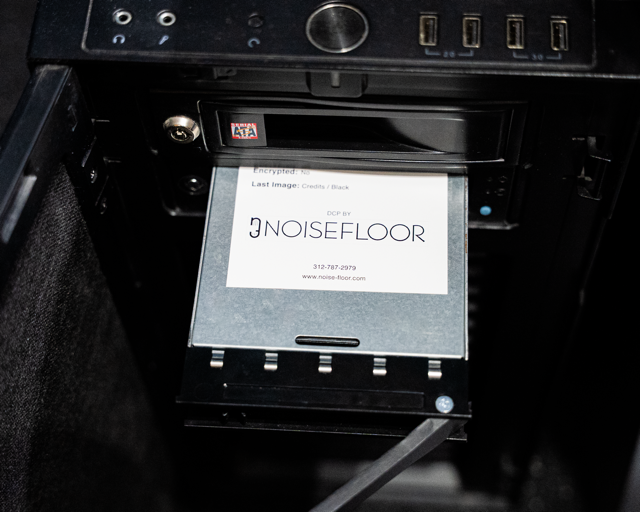
We play it on actual digital cinema equipment, not just software players. This catches compatibility issues that automated tools miss completely.
We verify every audio channel, not just that sound exists, but that it maps correctly, stays in sync for the entire runtime, and hits proper loudness levels for cinema playback.
We check the DCP for format compliance, those Digital Cinema Initiatives standards we mentioned earlier. Automated tools can miss subtle violations that cause real-world failures when you get to the theater.
Over the years, films we’ve supported have screened at Tribeca, SXSW, Chicago International Film Festival, and other festivals across the country. That’s not bragging; it’s context for why this process matters. Every one of those screenings could have failed if the technical delivery wasn’t right.
Budgeting for DCP Delivery to Film Festivals
Let’s talk about what this actually costs, because we’ve found that transparency helps filmmakers budget properly and avoid sticker shock.
For a short film under 15 minutes, a basic 2K DCP costs $150. For features, it’s $10 per minute for 2K, $15 per minute for 4K. So a 90-minute feature is $900 for 2K quality.
That’s the base. Then there are the add-ons that you might need:
- Closed captioning: $20 per minute (increasingly required, not optional)
- CRU drive package: $250 (includes the hard drive and protective case)
- Digital upload: $50 (for festivals that prefer this delivery method)
- USB drive for shorts: $175
If you’re up against a deadline, rush fees apply. Two-day turnaround adds $300 for features, $50 for shorts. Same-day delivery? That’s $1,000 for features, $250 for shorts.
Here’s our honest advice about timing: don’t wait until the last minute. Most festivals send tech specs 4-6 weeks before your screening. That’s your window. Order early, avoid rush fees, and give yourself time to fix anything that needs fixing without panic.
A realistic budget for a 90-minute feature doing the festival circuit: $900 for the 2K DCP, $1,800 for closed captions, $250 for the CRU package. That’s just under $3,000 total. It’s not cheap, but it’s also not the most expensive part of making your film, and it’s the bridge between all your hard work and actually getting your movie in front of audiences.
Questions to Ask Your DCP Provider
Not all DCP providers for film festivals are created equal. Some are running automated software and hoping for the best. Others are doing real quality control. Here’s how to tell the difference:
First, find out if they test on actual cinema equipment. Software validation isn’t enough.
Ask what happens if there’s a problem at the festival. Can you reach someone who will help you troubleshoot? Will they rush a replacement if needed?
Find out how they handle closed captioning. They need to properly embed captions in the DCP file, not just throw in a separate subtitle file.
Make sure they can meet festival-specific requirements. Some festivals have unique specs, and a good provider knows how to handle the edge cases.
Finally, ask specifically what their quality control process includes. If the answer is vague or just mentions automated checking, keep looking.
At Noisefloor, every DCP we deliver includes comprehensive testing and ongoing support. If something goes wrong at the festival, which is rare, but it happens, we’re available to troubleshoot and make it right. That’s not a sales pitch, it’s just how we think this should work.
Getting Your DCP Ready for Festival Screenings
Here’s what we really want you to understand:
You spent months, maybe years, making your film. You dealt with impossible budgets, difficult schedules, creative compromises, technical challenges, and probably a few minor emotional breakdowns along the way. You submitted to festivals, waited anxiously for responses, and finally got that acceptance email.
Don’t let a preventable technical failure be the thing that ruins your screening.
The DCP feels like just another checkbox on your festival to-do list, book travel, reserve hotel, order posters, get the DCP done. But it’s actually the final technical bridge between your creative vision and your audience. Get it wrong and nobody sees your film. Get it right and you can focus on what actually matters: connecting with audiences, meeting industry people, having the experience you worked so hard to earn.
What three decades in the industry has taught us is that every technical decision matters because audiences deserve the best you can give them. That philosophy applies to DCPs just as much as it applies to sound design or color grading or any other part of filmmaking.
This isn’t about selling you something. It’s about making sure you know what you’re getting into, what questions to ask, and how to avoid the problems that trip up filmmakers every single festival season.
If you’re heading into festival season and staring at those tech requirements wondering what they actually mean, we’ve been helping filmmakers through this process for years. We’d be happy to walk you through it.
Your film deserves to be seen. Let’s make sure it actually gets on that screen.
Ready to get your DCP sorted?